
Run Roboquant from ChatGPT, Claude or Cursor.
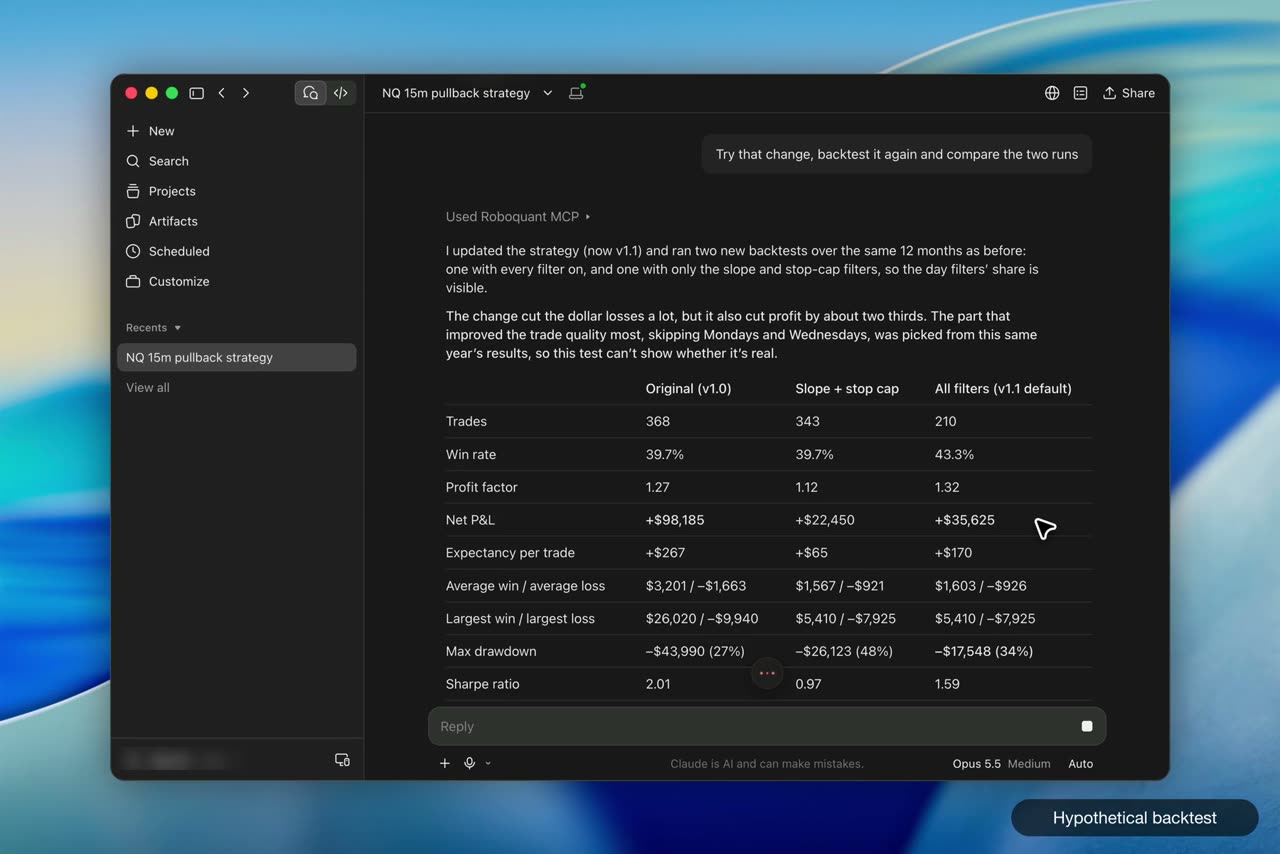
Connect the Roboquant MCP server once, and the AI you already talk to can build, backtest and monitor your strategies.
How it works
1
Add the server
Add the Roboquant MCP server to your AI client. There is nothing to install.
2
Approve access
Sign in with one OAuth connect and approve what the client may do.
3
Ask your AI
Build, backtest and monitor from the chat you already use.
What you get
Works where you work
Claude, ChatGPT, Claude Code and Cursor. One OAuth connect, no keys to paste.
Strategies, backtests, optimizer and deployments
All callable by your AI.
Results as data
Backtest and optimizer metrics come back structured, ready to compare.
Read-only by default
Write access is optional and needs your approval on the consent page.
You confirm changes
Creating a strategy or running a backtest or optimization waits for your approval.
Strategy docs in context
Your AI can read the strategy SDK docs while it works.